

Picture a typical manufacturing facility on any given morning. The rhythm of the plant is unmistakable. You hear the deep mechanical thud of a stamping press, the whir of pneumatic drives, and the steady murmur of activity across the assembly line.
If you look closer, however, you begin to see the invisible walls dividing the operation.
At Workstation 4, an operator is following some work instructions. Two feet away, a CNC machine runs an isolated program on its own proprietary terminal. Across the aisle, a quality inspector walks the line with a clipboard and calipers, manually logging dimensional checks on paper sheets.
Every person and machine in that room works toward the exact same goal, yet they exist in separate information silos. When an unexpected variance occurs, the operator stops what they are doing and tracks down a supervisor.
This system is only partially digitally transformed. Users have access to needed data, but are the workers, the devices, and the data working together? Are there silent barriers or bottlenecks that are holding your true production capacity back?
Today, we are removing those barriers.
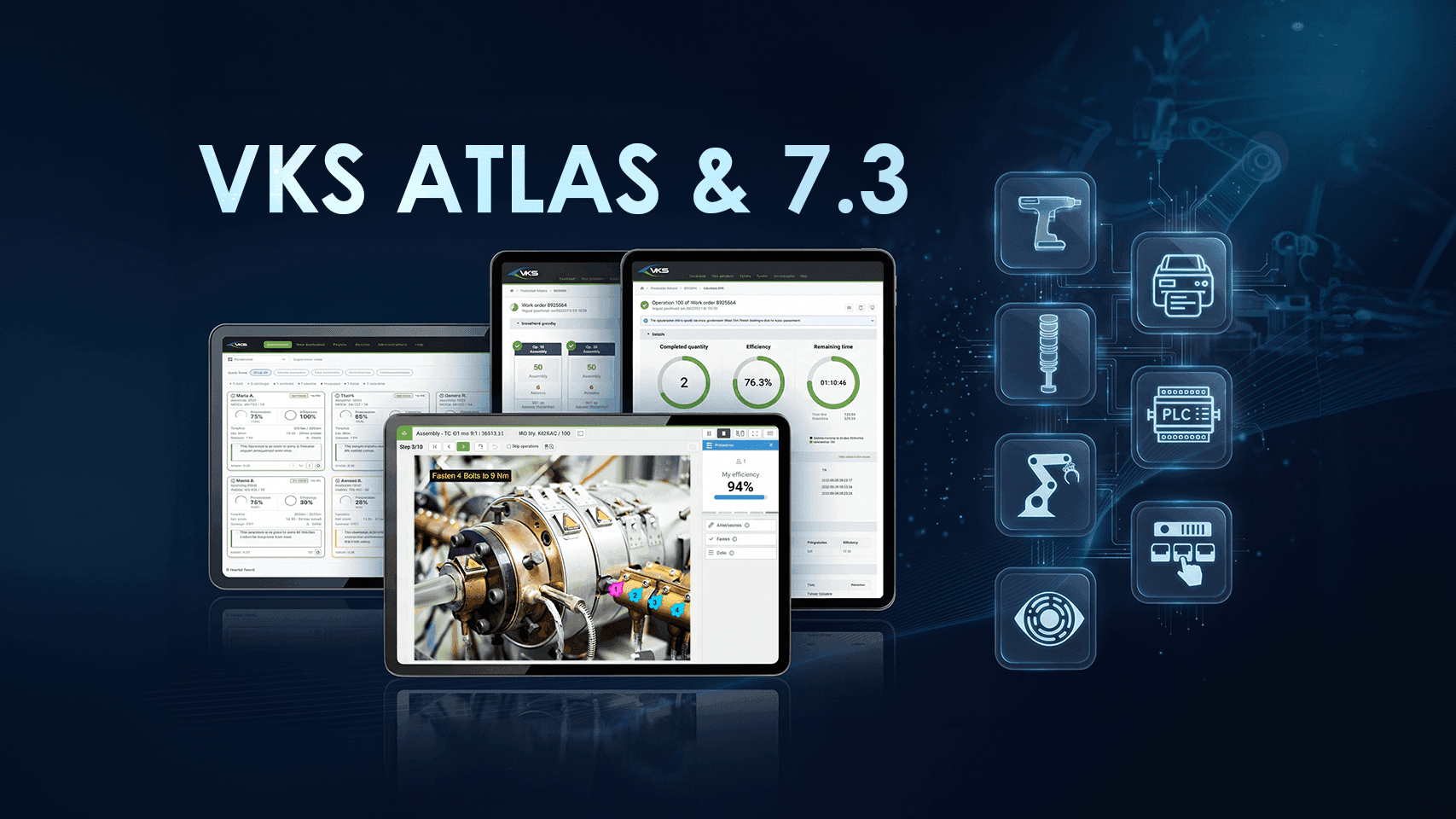
We are proud to introduce VKS Atlas, our flagship platform designed to unify digital guidance, machine connectivity, tool integration, quality control, and enterprise systems into one intelligent manufacturing ecosystem. Built upon the foundation of our newest software release, VKS 7.3, Atlas coordinates your entire shop floor in real time.
While the powerful updates in VKS 7.3 enhance our entire software family, VKS Atlas represents the pinnacle of connected worker technology. Here is the story behind VKS Atlas, the architectural leap in VKS 7.3, and what this new era of connected execution means for your facility.
VKS Atlas: The Ultimate Expression of Connected Execution
VKS Atlas was created to replace the complexity of a disjointed environment. From workers, machinery, and smart tooling to environmental sensors and enterprise databases, VKS Atlas provides a comprehensive and collaborative execution layer for the shop floor.
In an Atlas-enabled plant, equipment is not an isolated island. It is an active participant in the guided workflow.
Connected torque drivers confirm fastening angles before a step can advance. Vision cameras inspect component placement and stream validation signals straight to the operator screen. Real-time production telemetry automatically populates digital history records and synchronizes with your enterprise resource planning system.
Atlas takes the advanced features released in VKS 7.3 and channels them into a comprehensive solution, delivering what we believe is the most capable connected worker platform available today.
Everything introduced in VKS 7.3 forms the behind-the-scenes intelligence of VKS Atlas, from event-driven hardware triggers, dynamic rule branching, to automated date and time math, and enhanced approval governance.
Powered by VKS 7.3
VKS Atlas
Smart Tools
Push torque parameters, validate fastening, and error proof assembly.
Machines & Devices
Connect PLCs, CNCs, automated presses, and trigger station andon lights.
Quality & Vision
Integrate AI cameras, digital gauges, and automated pass or fail inspection checks.
Enterprise Systems
Bi-directional synchronization with your ERP, MES, QMS, and analytics databases.
At its core, VKS Atlas anchors every process in visual operator guidance, turning standard work instructions into an active hub that directs both the worker and the surrounding workstation:
- Vision System Quality Verification: As operators follow step instructions, integrated AI vision cameras automatically inspect part placement and geometry, displaying pass or fail confirmations directly on screen before allowing the worker to proceed.
- Guided Work & Robotics: Work instructions monitor operators and machines within a workstation, automatically signaling collaborative robots at exact assembly milestones so the worker never faces delays.
- Status Signaling: Workstation Andon lights respond dynamically to the operator's digital workflow within their work instructions, shifting automatically to amber when a worker opens an escalation form or red when an inspection hold pauses the procedure.
- Torque Tool Integration: Atlas pushes target torque parameters directly to connected drivers, validates each fastening event in real time, and prevents step completion if a bolt is under-torqued.
- Seamless Enterprise Integration: Every fastener torque reading, inspection photo, operator signature, and cycle time is formatted and synced with your enterprise systems, creating an airtight digital thread.
VKS Atlas Use Case 1: Hands-Free Assembly & Smart Tool Poka-Yoke
Consider a high-mix electronics or precision mechanical assembly bench. Rather than requiring the technician to repeatedly tap a touchscreen with gloved hands, VKS Atlas orchestrates a nearly 100% hands-free assembly sequence powered by connected tooling and sensors.
- Environmental Gating: Before work begins, VKS Atlas reads ambient cleanroom telemetry. If temperature or ambient pressure drifts outside engineering tolerances, the work instruction locks the order until conditions stabilize.
- Guided Kitting & Pick-to-Light: Once cleared, an overhead Andon light switches to steady green. VKS triggers a pick-to-light rack to illuminate the exact component bin required for step one.
- Smart Tooling (TC): When the operator fastens the sub-assembly, the connected torque controller (TC) transmits angle and torque values directly into VKS. Once target torque is achieved, VKS automatically validates the step and advances without manual input.
- Inline Vision Inspection: An overhead machine vision camera inspects component orientation and alignment, logging optical verification straight into the quality record.
- Light Curtain Pallet Confirmation: Upon completing the unit, the operator places it into the outgoing packaging cell, breaking an optical light curtain. The beam break acts as the final sign-off trigger, incrementing the finished part count and refreshing the queue.
- Expert Mode: For operators using Expert Mode, the process is completely hands-free as they follow only vital assembly steps and use checklists solely for critical safety milestones.
- Live Metrics: VKS Atlas tracks hands-free unit completions in the background, recording exact cycle times per piece and displaying real-time operator efficiency metrics on screen without demanding manual screen taps.
The result is an error-proof assembly line where operators stay completely focused on the product, while digital traceability happens invisibly in the background.
VKS Atlas Use Case 2: Automated Machine Orchestration & Error Recovery
In an aerospace CNC cell, VKS Atlas serves as the real-time execution bridge between the operator, the PLC, and the machine control unit.
Through this process, VKS Atlas facilitates the following:
- Program transfer: Starting the work order pushes the approved cutting program directly to the machine via the programmable logic controller.
- Setup gating: The machine remains locked until the operator completes the digital setup checklist.
- Live telemetry: The machine runs while streaming real-time part counts into VKS, maintaining a green Andon light.
- Automated inspection: At part one hundred, VKS pauses the cycle, turns the light amber, and launches a mandatory inspection form.
- Digital sign-off: The operator logs caliper measurements and saves the form, automatically clearing the hold and resuming production.
- Alarm recovery: A detected spindle fault turns the light red and opens the troubleshooting guidebook in a separate tab without losing active job progress.
The result is zero guesswork at the machine terminal, predictable quality gating, and immediate error recovery that minimizes costly CNC downtime.
VKS Atlas & Upcoming AI Projects
Looking ahead, VKS Atlas is a foundational step toward our upcoming new artificial intelligence capabilities.
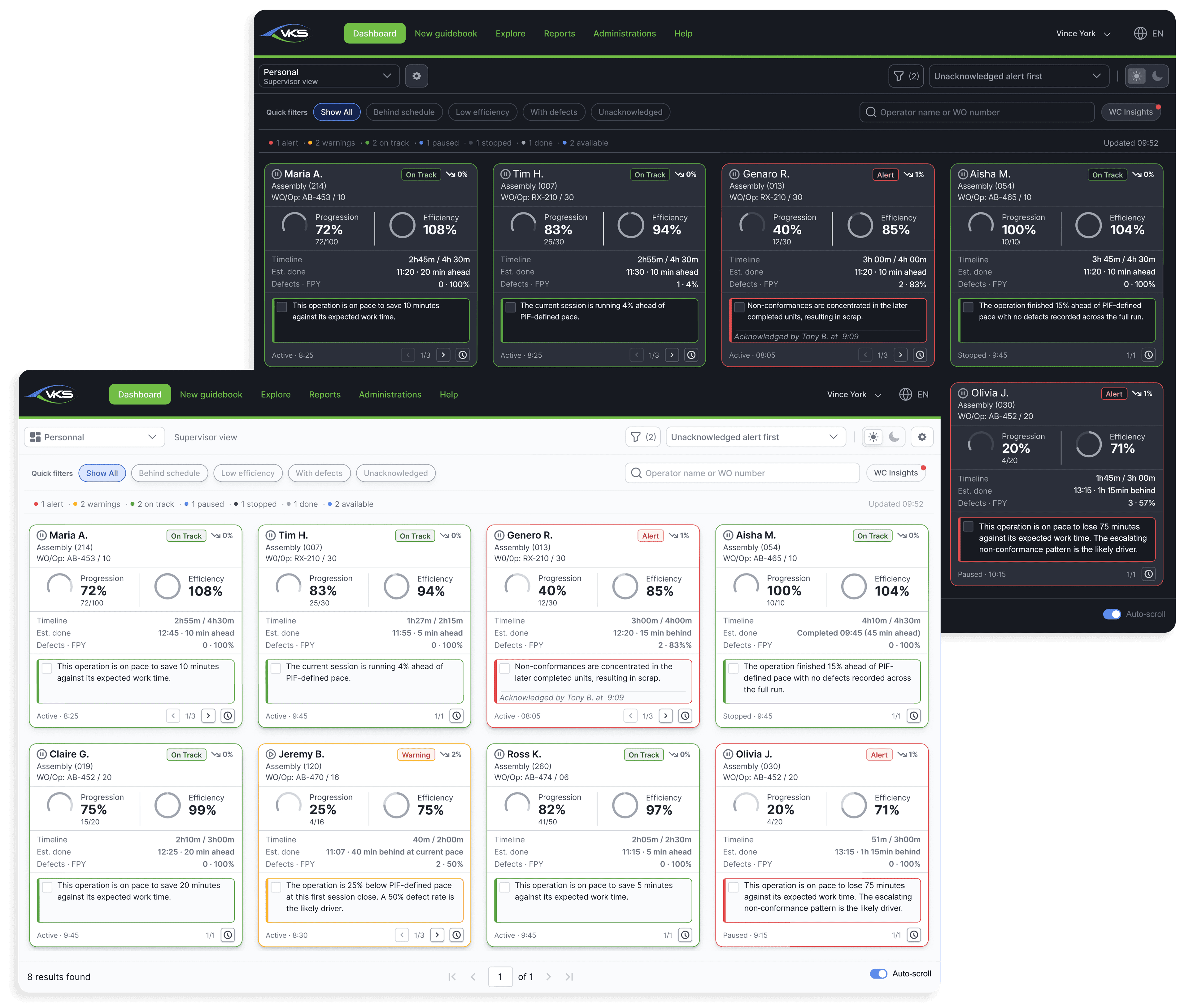
Features like FloorIQ will actively analyze streaming work center data to detect subtle pacing variations, efficiency dips, and quality trends before they escalate.
In addition, our upcoming Video to SOP technology will allow technical authors to upload footage of an expert operator performing an assembly and have VKS automatically generate draft step instructions, cropped images, and initial procedures.
GENERATED STEPS
- 1Place the frame on the fixture
- 2Seat the flight controller on the standoffs
- 3Tighten the remaining screws on the harness
- 4Route and secure the harness cables
The VKS 7.3 Updates that make VKS Atlas Possible
Update 1: Event-Driven Hardware Automation with IO Connect Phase 2
When we introduced the original IO Connect as a new capability of VKS Edge, it allowed guidebooks to trigger machine commands and monitor sensors using sequential step annotations. It was an important leap forward.
However, in order to advance the feature and provide the best machine connectivity for our customers, we asked our engineering team a fundamental question: What happens when hardware communication is tied directly to real-time conditions, form submissions, and operator choices?
IO Connect Phase 2, a core advancement in VKS 7.3, answers that question by embedding hardware operations straight into the native VKS Rule Engine and Smart Forms.
This means that your digital guidebooks can now engage in an ongoing, bidirectional conversation with physical equipment, programmable logic controllers, and smart sensors across the floor.
- Event-Driven Hardware Triggers: Hardware commands can now fire automatically whenever an operator opens, saves, postpones, or cancels a digital form. This also includes any guidebook conditions, meaning the physical workspace dynamically responds to the operator's digital actions.
- Live Telemetry Acquisition: The operation pulls live data such as machine cycle counts, sensor temperatures, pressure ratings, or product serial numbers directly from equipment. That telemetry is saved as an active variable inside the guidebook session to guide process routing or display process-accurate information on screen.
- Dynamic Performance and Escalation Alerts: Rules can monitor live cycle efficiency and production pace in real time. If an operation exceeds its target cycle threshold, VKS can automatically update physical Andon lights at the station, transitioning them from green to amber or red.
- Scalable and Reusable Logic: Authors can build hardware rules once and share them across dozens of lines. Automated context validation ensures that shared rules only fire on compatible equipment, protecting neighboring lines from accidental commands while logging every success, skip, or failure for complete traceability.
By tying physical devices to form interactions, plants can automatically pause equipment during quality checks and/or signal floor support the instant an operator opens an escalation form.
Update 2: Expanded Rule Intelligence
VKS 7.3 makes guidebook navigation fluid, intelligent, and context-aware. The expanded rule engine allows form entries, operator inputs, and live hardware signals to dynamically adjust what the worker sees without disrupting active production.
- Seamless Guidebook to Guidebook Launching: A dedicated Open a guidebook action enables any local rule, shared rule, or form event to instantly open a secondary guidebook in a fresh browser tab. The active assembly session remains completely intact in the primary tab, preserving all recorded data and step progression.
- Instant Form Triggering: Rules can evaluate specific answers or values inside form fields the moment the worker clicks save, immediately executing custom routing, alerts, or hardware actions.
- Telemetry-Powered Logic: Live hardware variables read from PLCs or smart tools can trigger conditional logic. If a temperature sensor indicates an overheating motor, the guidebook knows it instantly and adapts.
This dynamic branching ensures operators can pivot into defect disposition or maintenance guidebooks in a secondary tab the instant it is needed, without losing their place in active assembly.
Update 3: Mastering Date and Time Form Calculations
Few variables in production are as critical, or as vulnerable to human error, as time.
Consider the pot life of an aerospace structural resin, the mandatory dwell time of a heat-treating process, or the curing window of an industrial sealant. Historically, verifying those intervals required an operator to glance at a wristwatch, scribble down a start time on tape, perform mental arithmetic, and remember when the part was safe to handle. When shifts change, or lines get busy, manual timing inevitably breaks down, resulting in compromised joint strength, scrapped parts, or compliance violations.
VKS 7.3 eliminates this vulnerability by introducing Date and Time Calculation Fields into our Smart Forms. While VKS has long featured mathematical expressions for numeric values, forms can now compute dynamic dates, times, and duration intervals directly within the guided workflow.
- Dedicated Datetime Expression Engine: Authors can configure form fields specifically to execute time-based equations, blending manual inputs, system timestamps, and predefined duration constants.
- Time and Duration Operations: The engine supports both addition and subtraction. It can project future target deadlines (Timestamp + Duration = Future Timestamp) or calculate the exact elapsed time between two historical events (Timestamp - Timestamp = Duration).
- Full Data Format Versatility: The calculation engine effortlessly processes full date and time strings, date-only values, time-only values, and granular durations represented in days, hours, minutes, and seconds.
- Gating Rules Based on Time: Calculated date and time outputs serve as direct data inputs for the VKS rule engine. Guidebooks can evaluate whether an elapsed time is sufficient and actively block the worker from proceeding if a mandatory curing period is still underway.
Authors can dynamically add curing durations to resin application timestamps and lock step navigation until the required set time has elapsed, eliminating manual math errors on critical joints.
Update 4: Enhanced Approval Dashboard Visibility
VKS 7.3 brings with it an Enhanced Approval Dashboard, giving supervisors, authors, and document control managers clear, real-time oversight into the entire approval and revision pipeline.
Instead of broad, high-level summaries, administrators can now pinpoint the exact stage where a guidebook is being reviewed. This makes it effortless to detect review bottlenecks, prevent stalled revisions, and ensure that approved standard operating procedures reach production without administrative lag.
- Granular Stage-Level Progress: The Approval tab now reveals the specific Approval Stage status for every pending guidebook. Rather than displaying only a broad process state, VKS 7.3 shows the precise review phase currently underway so you know exactly which group holds responsibility.
Document control managers can immediately spot whether pending work instructions are delayed in Quality or Engineering and filter for items awaiting author corrections, keeping revision pipelines moving swiftly.
Update 5: Programmatic Authoring with the Guidebook Creation API (Phase 3) - Coming in December 2026
In VKS 7.3, we’ve updated our API to make authoring and updating work instructions faster than ever.
Phase 3 of the Guidebook Creation API in VKS 7.3 bridges the gap between engineering software and the shop floor. By introducing robust REST endpoints, external systems (PLM, MES, ERP, and more) can programmatically build, structure, and govern guidebooks without manual intervention.
- Full Step Lifecycle Management: External systems can programmatically create, retrieve, reorder, and delete steps. The API supports image steps with custom visibility settings, video steps, and rich multilingual text steps directly from engineering databases.
- Automated PDF Page Splitting: Migration scripts can push multi-page legacy PDFs to the API, which automatically splits each page into an individual sequenced step background, instantly creating ready-to-edit draft guidebooks.
- Media and Video Uploads: Upload large media files and enable automated duplicate-file detection to optimize server storage.
- Auto-Annotation Positioning: Place callouts and visual markers directly onto step backgrounds using exact coordinates. The API supports classified droplet callouts (such as Critical, Quality Check, or Operation) as well as multilingual paragraph overlays.
- Revision Deactivation: Retire obsolete guidebooks programmatically while preventing production disruption. Built-in safeguards check for active operator sessions and open work orders before deactivating an older revision.
- Expanded Cycle Time Metrics: A newly expanded operation details endpoint captures distinct setup time and work time metrics at both the operation and work session levels for deeper line-balancing insights.
VKS Atlas & 7.3: Step into the Future of Manufacturing
Manufacturing excellence requires an environment where human skill, automated machinery, and quality management work in perfect synchronization.
With the release of VKS 7.3, we have delivered the tools to automate timing, orchestrate widespread physical hardware, and secure process governance across your lines.
With VKS Atlas, we have unified those capabilities into our most advanced, comprehensive connected worker platform yet.
Whether you are looking to error-proof critical assembly joints, automate supervisor sign-offs, or connect your enterprise software directly to your operators, VKS Atlas provides the bridge.
To see VKS Atlas live in action and learn how VKS 7.3 can transform your shop floor, register for our upcoming live demonstration webinar on Wednesday, Dec 9, 2026 10:00 AM - 11:00 AM EST.